OsoLinux is a 64-bit x86 operating system built on Fedora, first released on August 5, 2014. It runs directly from a USB drive and features a polished, customized KDE Chinese desktop environment alongside a lightweight labwc desktop implementation, offering users a familiar and intuitive experience. The live installer uses a simplified graphical dialog. On multi-core CPUs with 3GB+ RAM, installation takes about three minutes. After installation, the system automatically detects, updates, and adds boot entries for all operating systems (including Windows) and automatically mounts compatible partitions.
OsoLinux works seamlessly across a wide range of applications—whether browsing the web, watching movies, social networking, gaming, or handling daily office tasks. It embodies a perfect balance of elegance and simplicity, with meticulous attention to detail to deliver a superior user experience. The optimized KDE Chinese desktop project reflects a human-centric, efficient, and practical design philosophy, providing a complete solution for personal desktop productivity, entertainment, and development. Users can get started quickly without extra training or learning curves.
OsoLinux continues to expand its software and toolset, improving system functionality and stability. By integrating valuable open-source projects—especially the contributions of font developers and the support of AI applications—we have further enhanced the user experience, ensuring the system meets diverse needs.

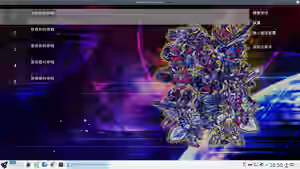
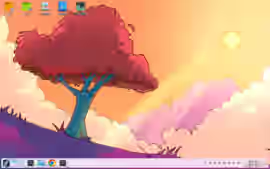
- 2026.09.04 OsoLinux-fc44-Corex Release Notes:
- Provides installation support for unpartitioned blank hard drive space.
- Fix the flickering issue when previewing different-sized images in qFilepad while not maximized.
- Reduce pop-up dialogs for deletions in qFilepad, replace zip extraction with unar to avoid garbled characters.
- qFilepad fix: tar extraction errors, display audio/video file info in KB only, and correct the incorrect file size sorting.
- qFilepad adds KDE service support for Trash, Recent Files, and Recent Locations, but network support now points to srv server folders.
- qFilepad fixes search segfault, icon issues; removes MTP unmount (use phone).
- qFilepad adds MTP phone connection support, avif/webp image preview, one-click icon maximization, and thumbnail display.
- Kernel 7.1.7, smplayer touchscreen drag fix for labwc, qFilepad now supports disk discovery, mounting, and unmounting .
- Fixed sfwbar not refreshing the rebuilt Qt6 menu—patch accepted by the author; in labwc, this is the only way to update menu content.
- Terminal Labwc provides a lightweight desktop option; added software and dual-desktop compatibility improvements.
- qFilepad's' touchscreen support; fixed missing format icons and added support for running .desktop and binary files.
- Dropped grub2-install booloadid; .The installer now has fully decoupled interface and backend operations.
- Recording tool qrecord supports KDE and labwc: uses Spectacle or wf-recorder for video + gstreamer for audio recording and merging.
- google-chrome now uses system title bar and forces system icons to avoid display issues on touchscreen and labwc.
- In labwc, Win+F opens the clipboard.
- labwc updated to 0.20.1; built lightweight file manager qFilepad and lightweight virtual keyboard osoKeyboard.
- For easier labwc use, wrote custom audio device selection tool and wallpaper settings tool for labwc.
- Removed touchscreen right-click tool because labwc lacks mature position and popup menu protocols; more software now adapts to touch.
- labwc defaults to a single monitor; press WIN+D to switch primary display.
- Terminal selection auto-copies; paste with Ctrl+V; PrtSC for screenshots.
- Possible black screen before login (likely due to updates). Fix: sudo usermod -aG video sddm
- Software pivot (private folder migration tool) fixes selinux home path config; adds interface refresh to handle progress bar freezing.
- Kernel 7.1.3, mesa 6.1.4, upstream firmware updates; for multi-monitor 16:9/16:10 blending and browser habits, moved taskbar to the left.
- Due to pivot migration, auto-mount service now runs before plasma login to avoid anomalies after discover restarts/updates.
- dolphin right-click menu patch revised → also patched konsole, eliminating the chaotic clipboard-based link handling.
- aria2Qt fixes default UA identification—this is an aria2 RPC proxy tool with automatic link detection and download history recovery.
- Kernel enables ntfsplus driver to replace ntfs3; removes ntfs-3g (conflicting and slow), significantly speeding up KDE desktop loading.
- Removed PackageKit-gstreamer-plugin, dracut-live, livesys-scripts—these are redundant leftovers for this system.
- Plasma Discover may fail to return after refresh; instead of reinstalling, run: sudo dnf reinstall plasma-discover*
- System installer and home migration tool now include touchscreen mapping and external monitor resolution fixes.
- Removed sssd family, depmod service, disabled NetworkManager-wait-online—boot speed improved.
- Lunar calendar clock and weather app support floating and bottom-docking; easter egg: drag-through can pass above panels.
- Lunar calendar clock auto-restart on resolution change.
- Installer adds password visibility toggle, custom avatar support, and syncs avatar with KDE user settings.
- Live desktop now mounts partitions twice. so that C/D drive links point to the same partitions whether running live or installed.
- Fixed WeChat input font blur—update with: sudo dnf install --allowerasing fonts-noto-cjk
- Auto-completes 'from' parameter for ventoy-injected files to avoid ventoy boot failure; other ISO boots require 'from=xxx.iso'.
- Upstream selinux policy updates broke web services, forcing a rebuild and ISO recreation.
- Website optimized and migrated to osolinux.eu.org; update osolinux.repo address from root to /update subdirectory.
- Win11 does not support FAT32 >32GB; grub2U for Windows adds "Repartition and Format" for 16GB+ USB drives with dual partitions.
- Linux version of grub2U unchanged because Linux has no FAT32 >32GB restriction and partitioning tools are more straightforward.
- Removed dnf5 installation statistics without GPG signatures—configuration skip check is now unnecessary.
- OsoLinux Capsule Repo is live (domain changed today). Packages >100MB are not hosted; speed is acceptable.
- Added desktop lunar calendar clock using open-source Shouxing astronomical calendar library.
- fixed time jump on hide/show; added LempQt tool; ISO boot and structure fixes.
- All smplayer regular expressions migrated to Qt6; AB position auto-updates with loop; menu hierarchy and positioning refined.
- Replaced sxiv with nsxiv; Ctrl+Space or Ctrl+a starts animated image playback; removed gwenview; updated mimeapps.list.
- System installation clears selinux policies, so added post-install selinux initialization script; nginx config now auto-cleans logs.
- nginx compilation/config requires nine+ temp file paths—otherwise prefix conflicts; repackaged!
- Integrated nginx php-fpm with preset web apps: Longman Dictionary, online notes.
- related user groups and selinux config; go version works but Lemp is easier.
- Upgraded rpcs3 to 0.0.40; note: game_list_context_menu.cpp has many tr("&xxx") causing incomplete translations.
- New version improves display (reduces white/blue light eye strain compared to v43).
- Disabled plasma-keyboard; switched back to mature sddm login manager.
- 2026.03.09 OsoLinux-fc43-Atlas Release Notes:
- Live tweaks: each boot gets a different machine-id; some rpm packages use triggers to avoid file conflicts on upgrade.
- Implemented (not integrated): PXE network boot, initrd with generic NIC drivers, udhcpc/static IP network ops, diskless wget ISO and successful live mount.
- Upstream updates: KDE 6.6.1, Qt 6.10.2; plasma components no longer recompiled—locked test features via config for easier upgrades.
- Mesa display driver updated to 26.0.1; built audio/video batch conversion UI tool ffmpegQt to simplify command-line operations.
- Kernel updated to 6.19.4; overlayfs replaces aufs to reduce LIVE kernel patches—honoring Junjiro Okajima's 20-year aufs maintenance.
- kwinrc now disables all effect plugins by default; restores KDE transparency and reduces conflicts/resource usage.
- Removed/recompiled fc43 packages that couldn't be redistributed; removed plasma-nm-l2tp due to golang-github-katalix-l2tp missing in fc42 repos (compilation issues).
- Fixed eden file dialog mixing Chinese/English; translation doesn't apply due to addItem(name)+name.tr patterns (yuzu legacy translation issue).
- qrecord monitors Spectacle recording and saves only the final merged video. Default KDE local time auto-color temperature enabled.
- nsz[gui] has intermittent issues; replaced with QtUI + nsz (use nsz.sh) to skip the [gui] query.
- KDE 6.6 removes experimental login virtual keyboard; plasma-discover returns as software center.
- Installer logic update: display config copied from live session to login screen, preventing multi-monitor login confusion.
- eden updated to 0.2.0-rc1; kernel to stable 6.18.8; removed xdotool; updated touch right-click tool logic.
- edgeTTS—online text-to-speech for videos; easiest way to add voiceovers without vocal effort.
- Offline voice input (160MB, outperforms 1.3GB vosk model); click or right-Ctrl to record, Space to commit.
- GoldenDict-ng updated—hides pronunciation button when no audio dict available; new translation grouping.
- Removed plasma-drkonqi to reduce distractions.
- Fixed sddm multi-monitor static refresh issue; resolved plymouth crashes and potential security concerns.
- Patched kwrite to remove text-to-speech support.
- HeFeng weather adds time window (default); DIY apps and installer now instance-locked to prevent conflicts.
- Improved sddm login/lock screen; multi-touch users may see sync issues but virtual keyboard works for login.
- Virtual keyboard remains visible to support multi-touch login—single-screen users unaffected.
- Fixed cp without sync causing data corruption on USB unmount; added proactive sync process—now stable.
- Multi-monitor: clone primary to secondary, cancel clone, adjust resolution, close/reopen display; remember to set touch target.
- Spectacle menu fixes to avoid immediate capture on launch; Spectacle recording patch.
- qrecord monitors Spectacle and merges audio/video—no manual alignment needed. Why doesn't KDE implement this directly?
- Integrated VNote—a Markdown-friendly note platform for programmers; this open-source project is now 9 years old.
- Optimized installer data writing and partition unmounting to ensure each node writes safely; repeated installs yield same results.
- mednafen patch: joystick analog-to-digital mapping for better directional control.
- mednafenQt uses SDL3 gamepad API to auto-map most gamepad buttons and fix incorrect settings.
- Removed obsolete Live scripts: init_swap, init_network_dev, download_data_pxe.
- Removed anaconda-core (caused boot errors).
- Fixed Oso-related systemd services for better stability.
- Kernel embedded support fixes: Live ISO now runs stably on NVMe enclosures, high-speed USB drives, and card readers.
- Fixed konsole first-paste control character escape and long-text character alignment issues.
- Grub2U Windows version path error fixed—now working.